Insight
Design Process
Design process
My design process and where AI is starting to fit in
The first and one of the most valuable lessons I learnt about design at university, is the definition. Design is defined as turning chaos into order. Good design is about simplicity - stripping away the unnecessary to create clarity, purpose, and meaning.
.Overview
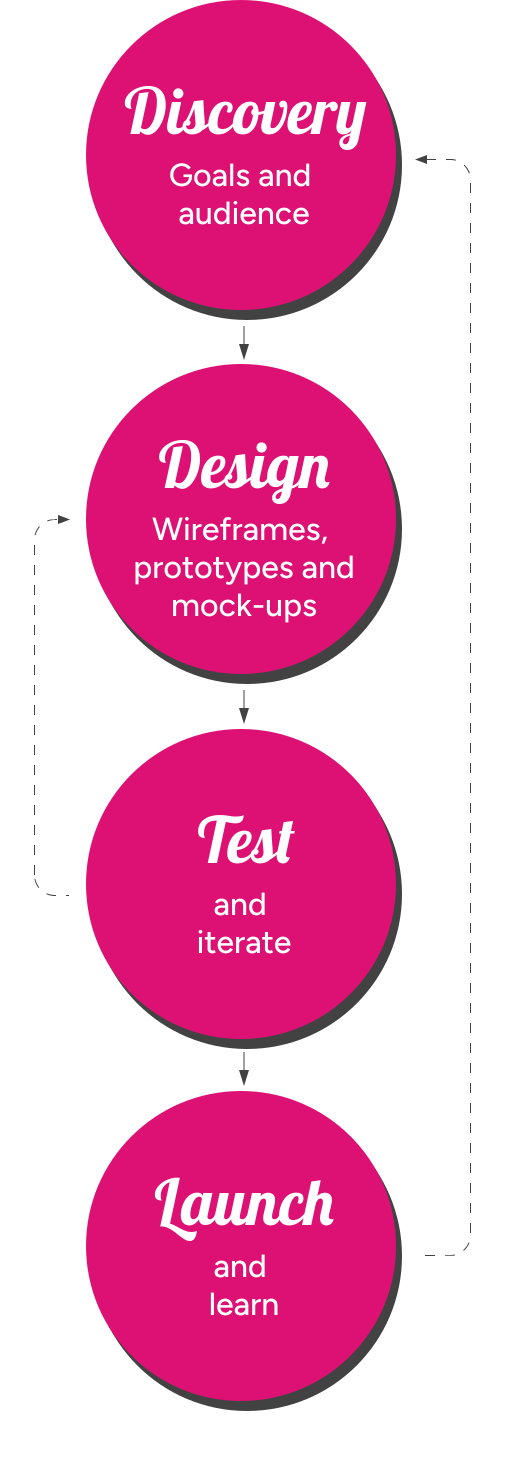
In more detail
Here is the fleshed-out version expanded into more steps, but in truth, the process is never rigid, it must be flexible depending on the size and type of project. These are the steps I would follow when I recieve a brief.
Discovery
This is where I aim to understand the project before touching design, for example:
- Client goals (business + user goals)
- Target audience
- Competitors / inspiration
- Content & requirements
- ChatGBT is very helpful for research at this stage
Design (Wireframing / Prototypes)
Low-fidelity layouts—no colors, just structure. This usually starts with pencil and paper before going to Adobe XD or Figma
- Page layouts
- Content hierarchy
- Prototypes
- UX decisions, based on user testing if possible
Design (Visual/Mock-ups)
The aim at this stage is to design visually engaging interfaces that align with the brand and enhance usability.
- Typography
- Color system
- UI components
- High-fidelity mockups
Test and iterate
- Feedback from users is very valuable
- User test providers like Usability Hub (Lyssna)
- Other team members, friends, family
- Any testing is better than no testing
Build or Developer Hand-off
- Build the pages (WordPress etc.) or
- Prepare files for developers
- Design system / components
- Responsive behaviour
Launch and Learn
This is when you find out how your real users feel about what you've built!
- Responsive checks
- Usability tweaks
- Real world feedbcak via web forms/customer call centre